
Win the deal while you’re still on the call.
NextSay listens to your live sales call and tells you the next move to close — then writes the full record after. Five AI agents work the same deal from one shared file. Here’s each one, and when it takes over.
One conversation. Five AI agents. One deal file.
Whatever you ask for reaches the agent that owns it, and every agent reads and writes the same deal file.
One conversation. Whatever you ask for reaches the agent that does it.
Multi-agent orchestration: each turn is routed to the specialist that owns it, and every agent reads and writes the same deal file.
Plan the call in seconds
Set who you’re meeting and what you want out of it. Everything after — research, rehearsal, the live call, the record — attaches to this one meeting.
Walk in already knowing them
Before you dial, a one-glance briefing on the company and the person — talking points, the objections they’re likely to raise with answers ready, and watch-outs.
Every line links to where it came from.From public web sources it links right on the briefing. Inference is phrased as inference; when little is public it says so instead of padding.
Rehearse the hard parts first
A dry run rehearses one specific call you have coming — a sales call or a negotiation — with the plan and any intel carried in. Practice drills one skill on its own. Spoken or typed.
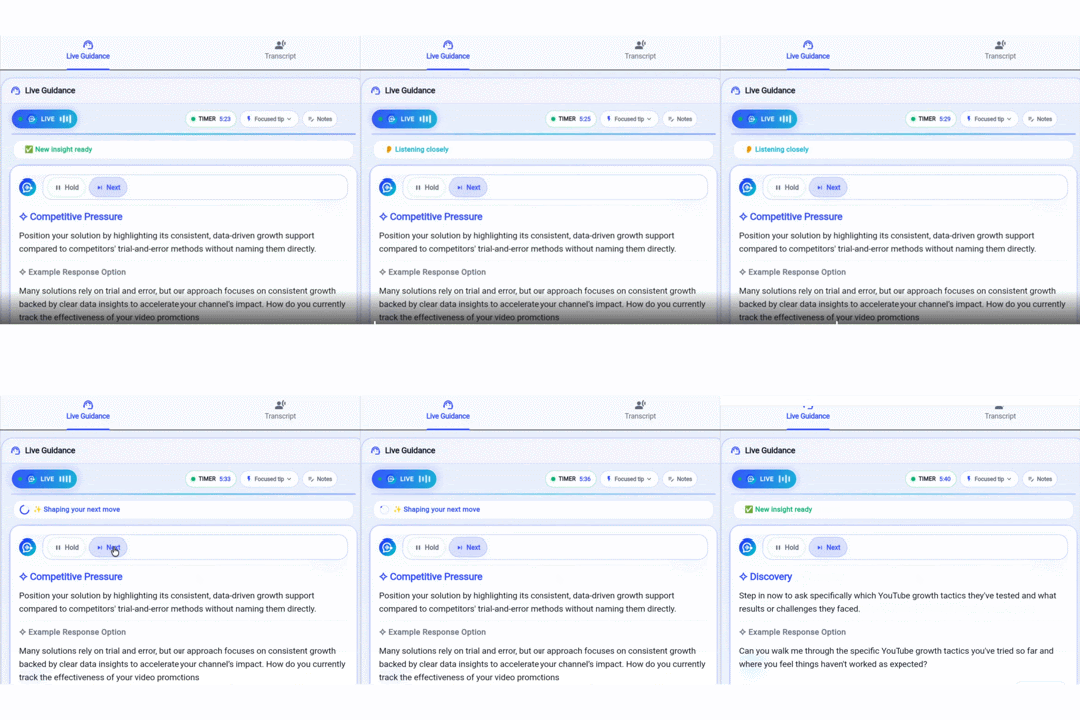
The next move, while you’re still talking
On the real call, a cue appears only when the moment earns it — the thing to say now, and what they’re really telling you. Quiet the rest of the time, so you trust it when it speaks.
The honest record, written for you
After the call: what happened, what was promised in the words actually said, the numbers, and what to do next — then it drafts your follow-up.
If it is not in the transcript, it is left out — never guessed.
No account, no card to try it. Keeping your work starts a 14-day free trial.